An Effective Developer Workflow with AI Coding Assistants: A Practical Guide
Learn to use AI coding assistants effectively: the plan-prompt-review-test-refine workflow, coding prompt techniques, a code review checklist, and security rules.
Panji Ihsanudin Fajri
15 min read2 reads

Contents
- What is an AI coding assistant?
- Why your workflow matters more than the tool
- How AI coding assistants work under the hood
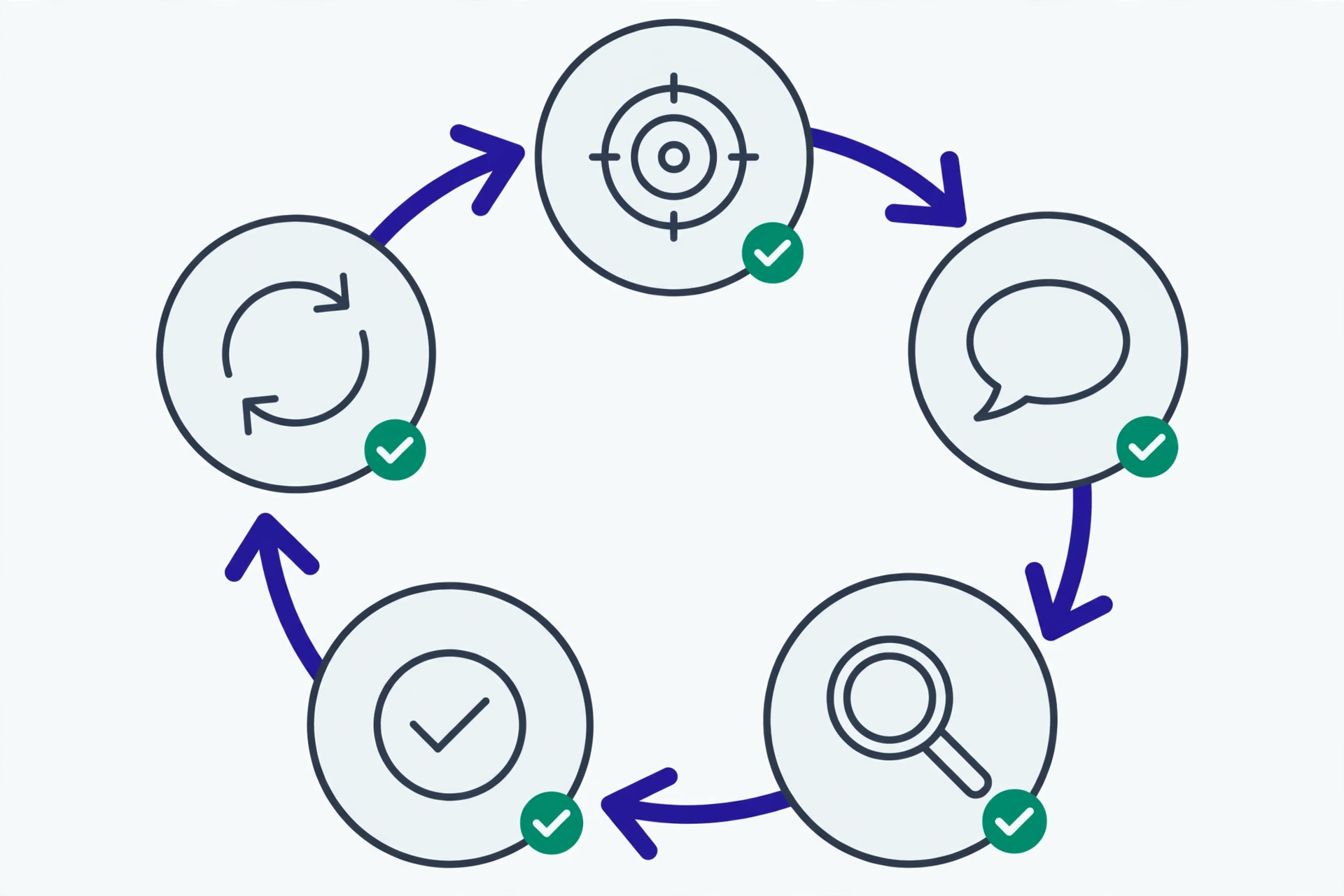
- The five-step workflow: Plan, Prompt, Review, Test, Refine
- 1. Plan — break the task down before touching the AI
- 2. Prompt — one task, enough context, clear constraints
- 3. Review — read the diff like a code review
- 4. Test — run it, don't trust it
- 5. Refine — iterate with specific feedback
- Techniques for writing effective coding prompts
- Reviewing AI-generated code like a normal code review
- Debugging with AI without losing understanding
- Common mistakes and how to avoid them
- Security: what never goes into a prompt
- Team ground rules for AI
- FAQ
- Will AI coding assistants replace developers?
- Which AI coding assistant is the best?
- Is it safe to use AI coding assistants on company code?
- What if the AI produces wrong code that looks convincing?
- Should junior developers use AI coding assistants?
- Conclusion
AI coding assistants have become part of daily life for many developers: autocomplete that guesses your next line, chat that answers questions about your codebase, even agents that take on a whole task from a short description. The catch is that two developers using the same tool can get wildly different results — one feels accelerated, the other spends the afternoon fixing code that went sideways. This article covers a practical workflow for using AI coding assistants: planning the task, writing clear prompts, reviewing output like a normal code review, testing, then refining — so the AI genuinely speeds you up instead of adding technical debt.
Summary: AI coding assistants work best when treated like a fast but unsupervised junior, not an answer machine. A five-step workflow — Plan, Prompt, Review, Test, Refine — keeps quality in your hands. The context you provide determines the quality of the output. All AI-generated code must be read and tested before use. Security rules and team agreements prevent expensive problems later.
What is an AI coding assistant?
An AI coding assistant is a tool built on large language models that helps developers write, understand, and change code. It lives inside your editor or terminal: suggesting code as you type, answering questions about a codebase, even running a sequence of steps like reading files, editing them, and running commands.
There are three common forms. First, inline autocomplete: ghost-text suggestions that appear as you type, ideal for boilerplate and repeated patterns. Second, in-IDE chat: you ask in plain language with the context of your open files, for example "what does this function do?" or "write tests for this module". Third, agents: you state a goal, and the assistant works through several steps — researching the repo, proposing a plan, editing files, running tests — while you review the result. Widely used examples include GitHub Copilot (available in IDEs, the CLI, and on GitHub itself — see the official GitHub Copilot documentation), Cursor, and the terminal-based Claude Code.
These three aren't ranks of "good versus bad". Autocomplete wins on typing speed, chat wins on exploration, agents win on boring multi-step chores. A good workflow uses each where it fits.
Why your workflow matters more than the tool
AI tools change every few months: new names, new models, new features. What survives is how you work with them. Developers who get real value from AI aren't the ones who memorized the most shortcuts — they're the ones with consistent habits: tasks broken down small, context prepared, output always verified.
There's data behind this. A controlled study by Peng et al. (2023) found developers using GitHub Copilot finished a standardized programming task 55.8% faster than a control group — with the largest gains going to less experienced developers (read the study). A field study across three companies including Microsoft and Accenture recorded a 26.08% increase in completed tasks (Cui et al., 2024). Tempting numbers, but the authors themselves warn: benefits vary by task type, and the study didn't measure code quality. Speed without verification is just a fast way to accumulate bugs.
The pattern separating good results from bad ones is simple: successful developers treat the AI like a very fast junior colleague who doesn't understand your business context. It gets clear instructions, its output gets checked, and important decisions stay with a human.
How AI coding assistants work under the hood
You don't need to understand transformer architecture to use these tools well, but three basic mechanisms explain why some prompts succeed and others fail.
Autocomplete predicts the next token from context. The model looks at your open file, surrounding tabs, filenames, even patterns in the repo, then guesses the most likely continuation. The implication is direct: if the surrounding code is messy and inconsistent, the suggestions will be messy too. Tidy code is contagious to AI suggestions.
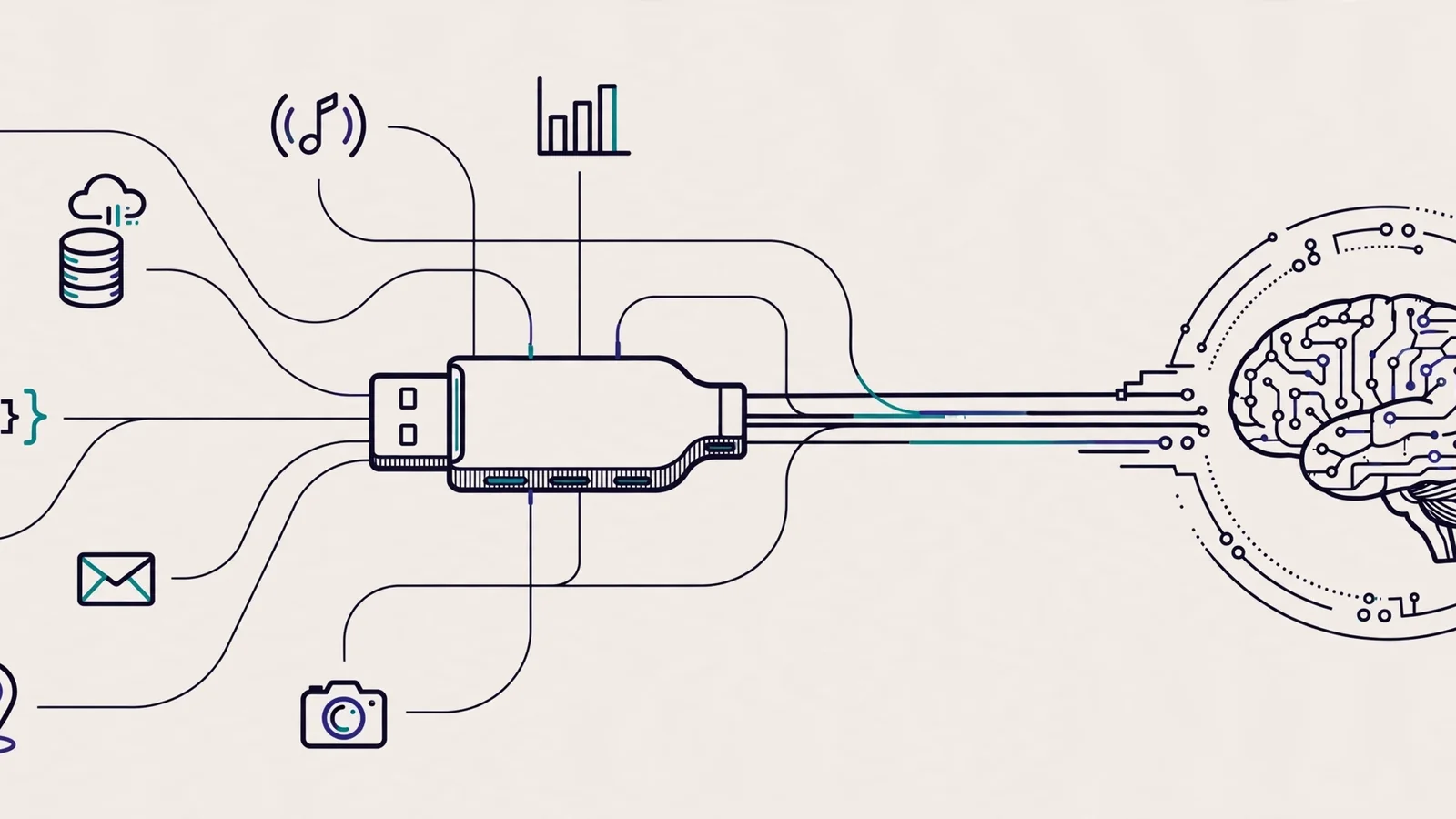
Chat combines your prompt with automatically retrieved context. Modern tools pull in your open files, selected code, sometimes repo search results, and attach them to the prompt behind the scenes. Since context space is limited, relevance beats volume — ten right files outperform a hundred random ones.
Agents run a loop: plan, act, observe. The assistant breaks a goal into steps, calls tools (read a file, edit, run a command), reads the results, then decides the next step. Every loop iteration is a chance to drift — which is why a big task thrown in one shot ("build feature X") goes off track more often than a task broken down and reviewed step by step.
One thread runs through all three: the quality of your context determines the quality of the output. Time spent preparing context — the relevant files, team conventions, a correct example — almost always pays for itself.
The five-step workflow: Plan, Prompt, Review, Test, Refine
The following five steps work for nearly every coding task with AI:
1. Plan — break the task down before touching the AI
Write down what you want in 2–3 sentences, then split it into pieces that can each be done and verified separately. Define done for each piece ("this function is done when it handles empty input, returns a clear error, and has tests"). Finally, decide what NOT to delegate: architecture decisions, sensitive business logic, and security-critical code are usually written by a human first, with AI helping afterward.
2. Prompt — one task, enough context, clear constraints
One prompt per task slice. Include the context it needs: related files, team naming conventions, library versions, and example inputs and outputs where relevant. State constraints explicitly: "don't add new dependencies", "follow the style in this file", "max 50 lines". A good prompt reads like a well-written work ticket — because that's what it is.
3. Review — read the diff like a code review
Never accept without reading. Go through the diff line by line and ask three things: is this correct, are there missed edge cases, and do I understand why the code looks this way? If there's a line you don't understand, don't merge it — ask the AI or learn it first. A practical rule: if you can't explain the code to a teammate, it's not ready for the repo.
4. Test — run it, don't trust it
Run the existing tests. When the AI claims something ("handles empty input now"), prove it with a test. Ask the AI to write tests for the edge cases you listed in the Plan step — it's a cheap way to catch logic hallucinations. Code that "looks right" and code that "is proven right" are two different things.
5. Refine — iterate with specific feedback
If the result isn't right, don't repeat the same prompt hoping for a different outcome. Give specific feedback: "use an early return to flatten the nesting", "replace this loop with Array.map like in user-service.ts line 40". Specific feedback makes the second iteration far better than starting over — and two to three rounds are usually enough. If it's still wrong, that's a signal the task is too big: split it further.
Techniques for writing effective coding prompts
A consistent prompt structure helps. A reusable pattern: context + task + constraints + example. The same task with a weak versus a strong prompt:
WEAK:
write an email validation function

STRONG:
Context: file src/utils/validation.ts, strict-mode TypeScript project,
no external validator dependencies.
Task: write isValidEmail(email: string): boolean.
Constraints: reject empty strings and non-string input with a clear TypeError,
avoid regex vulnerable to ReDoS, max 30 lines.
Example: isValidEmail("[email protected]") -> true,
isValidEmail("not-an-email") -> false.
The difference isn't length — it's decisions made up front: where the code lives, what the rules are, and what correct output looks like. The AI can't guess decisions you haven't made.
Three more techniques that consistently help:
Ask for a plan before code. For multi-file tasks, start with "explain your plan in 5 steps, don't write code yet". Reviewing a plan is far cheaper than reviewing 200 lines of code that went the wrong direction. If the plan is off, correct it at this stage.
Point, don't describe. Attach the relevant file or selected code instead of describing it in words. "Follow the error-handling pattern in src/lib/api-client.ts" beats three paragraphs describing the same pattern.
Store team conventions in an instruction file. Many tools read a repo instruction file automatically, such as .github/copilot-instructions.md for GitHub Copilot. Fill it with things that repeat:
# Repo instructions

- Language: strict TypeScript, ES2022 target.
- Error handling: throw Errors with clear messages, never silently return null.
- Tests: every public function needs tests in __tests__/ using vitest.
- Don't add dependencies without approval in the PR description.
- Follow the pattern in src/lib/api-client.ts for all HTTP calls.
This way you never repeat the same rules in every prompt. Broader prompting techniques — giving examples, decomposing complex tasks, asking the AI to think step by step — are covered in depth in the prompt engineering guide.
Reviewing AI-generated code like a normal code review
This is the step people skip most often, and it matters most. AI-generated code looks convincing: neat formatting, sensible variable names, confident comments. But the model doesn't know your business context, doesn't suffer the consequences of its bugs, and can't be held accountable. This review checklist works as-is:
- Correctness: is the logic right for the common case? Verify with concrete examples, not gut feeling.
- Edge cases: empty input, null, undefined, large payloads, weird characters. AI routinely forgets these.
- Security: any SQL injection, XSS, path traversal, or hardcoded secrets?
- Error handling: do errors get clear messages instead of being swallowed silently?
- Consistency: does the style match the surrounding files? The TypeScript best practices guide is a good reference standard.
- Dependencies: did the AI add a new library? If so, is it truly needed?
- Tests: is there a test proving what the code claims?
A typical review finding: the AI writes a fetch function whose catch silently returns an empty array. It looks tidy, but it hides network failures from the entire application. A human reviewer who understands the business context spots the danger immediately; the model doesn't.
One useful habit: ask the AI to explain its own code back to you before accepting. "Explain lines 20–35 in your own words, and name one weakness." A shaky answer is a signal to look closer.
Debugging with AI without losing understanding
AI is genuinely helpful for debugging — as long as you stay in the driver's seat. The pattern that works: describe symptoms, ask for hypotheses, verify yourself.
Don't start with "fix this". Start with:
Symptom: POST /api/orders returns 500 only for users with more than
100 orders. Log: "TypeError: Cannot read properties of undefined
(reading 'map')" at order-service.ts line 87.
Related code: [paste the relevant function, max 60 lines]
Give me 3 possible causes, ranked by likelihood, with how to verify
each. Don't change any code yet.
Asking for hypotheses first forces you to think instead of swallowing a solution. Once a hypothesis is verified, ask for the fix — and write a reproduction test before accepting it, so the same bug doesn't quietly return.
The biggest trap here is the lazy debugger: accepting the first fix that makes the error disappear without understanding the root cause. If you can't explain why the bug happened after the session, the session failed even though the error is gone. Understanding is the most valuable byproduct — don't hand it to the AI.
Common mistakes and how to avoid them

Five mistakes seen most often in teams newly adopting AI coding assistants:
Accepting every suggestion unread. Fast autocomplete makes the thumb faster than the brain. Build the habit: Tab to accept only after your eyes have read. When a suggestion lands in sensitive code, reject it and type it yourself.
One giant prompt for one big feature. "Build me a complete auth system" almost always produces generic code that doesn't fit your architecture. Split it: user schema, password hashing, session middleware, login endpoint, tests — one at a time.
No repo context given. Asking in an empty chat, then wondering why the answer doesn't connect to the codebase. Open the relevant files first, or name their paths in the prompt.
Handing architecture decisions to the AI. "What pattern should I use here?" is fine as input, but the final call needs someone who understands the business trade-offs, operational burden, and the team's long-term plans. The AI doesn't live with the consequences of its choices.
Sending sensitive things to public tools. API keys, tokens, customer data, and proprietary code don't belong in prompts to tools whose data may be used for training or stored without your control. Covered in detail in the security section below.
Security: what never goes into a prompt
The simple rule: don't send the AI anything you wouldn't paste on a public forum. Concretely:
- API keys, tokens, passwords, private keys, database connection strings.
- Customer personal data (names, emails, phone numbers, addresses).
- Proprietary code your company's policy forbids sharing with third parties.
.envfiles, credential configs, and database dumps.
Practical mitigations: make sure sensitive files are never open as context. Check the file list the tool attaches before submitting, use secret managers and environment variables as usual, and for company use consider enterprise plans with clear data residency and retention controls — GitHub, for example, offers these for Copilot (see the official documentation). Finally, scan the diff before committing: 30 seconds reading git diff catches a stray secret far cheaper than rotating credentials after a leak.
Team ground rules for AI
An individual tool used without team agreement produces an inconsistent codebase: half written in style A, half in style B, and nobody knows which parts the author actually understood. Five minimum agreements worth writing down:
- AI-generated code must pass human review and a green test suite. No exceptions for production code.
- Define no-go zones. Cryptography, core authentication, and payment logic are typically "human-first" zones: humans write, AI may explain or write tests.
- Shared context standards. The repo instruction file (like the example above) is agreed together so every member gets consistent suggestions.
- Be transparent in PRs. Note in the PR description which parts were AI-assisted and what was verified. It helps reviewers focus on the risky parts.
- Measure the right things. Don't measure lines of generated code — measure defect rate, review time, and bugs escaping to production. If those get worse, fix the workflow, not the tool.
FAQ
Will AI coding assistants replace developers?
Not anytime soon, and this article explains why: AI doesn't understand business context, doesn't bear the consequences of decisions, and needs humans to break down problems, supply context, and verify results. What changes is the shape of the work — developers spend less time on boilerplate and more on design, review, and problem-solving. The skills that grow more valuable are exactly the ones that can't be delegated: understanding the problem, judging trade-offs, and owning quality.
Which AI coding assistant is the best?
There's no single answer because needs differ: inline autocomplete for everyday typing speed, IDE chat for codebase exploration, CLI agents for multi-step tasks. Choose based on your ecosystem (your editor, company data policy, budget), try one tool seriously for two weeks using this article's workflow, then judge by defect rate and time saved — not by how cool the demo looked.
Is it safe to use AI coding assistants on company code?
It depends on the tool and its configuration. The main risk is sensitive data sent as prompt context. Check the tool's data policy: whether prompts are used for training, how long they're stored, and whether an enterprise option with tighter controls exists. Apply the blocklist in this article's security section, and make sure the team knows the rules before the tool touches production code.
What if the AI produces wrong code that looks convincing?
That happens every day, not once in a while. Models are optimized to produce plausible text, not correct text. Your defense is layered: read the diff line by line, run the tests, and for important claims verify independently (the library's official docs, not the AI's explanation). If you can't explain a piece of code back, don't merge it.
Should junior developers use AI coding assistants?
Yes, with one condition: use it to learn, not to skip learning. Studies show less experienced developers actually gain the most from these tools — but the gains stick only if they keep reading, understanding, and testing every accepted line. A practical rule for juniors: for every AI suggestion accepted, you must be able to explain why the code looks that way. If you can't yet, that's study material, not commit material.
Conclusion
An AI coding assistant is a multiplier — it amplifies the quality of the workflow you already have. A tidy workflow gets dramatically faster; sloppy habits get dramatically more dangerous. Start small: this week, take one real task and apply the five steps — Plan, Prompt, Review, Test, Refine — with discipline. Note where the AI saves you time and where it forces you to stay alert. After two weeks you'll have an honest picture of the tool's value for how you work — and that's far more useful than anyone's opinion, including this article's.
To strengthen your prompting foundation, continue with the prompt engineering guide. When AI-generated code needs tidying up to team standards, TypeScript best practices is a solid reference. And if your testing workflow needs a consistent, repeatable environment, the Docker guide for developers walks through it step by step.