
pgvector vs Qdrant vs Chroma vs Milvus: Choosing a Vector Database for AI Apps
Compare pgvector, Qdrant, Chroma, and Milvus on architecture, performance, scale, and operational cost — with real-world scenarios to pick the right one.
Panji Ihsanudin Fajri
15 min read1 reads
Contents
- What is a vector database?
- Why the choice matters
- Long-term operational cost
- Query patterns pick the winner
- Lock-in is real, but manageable
- How a vector database works: from text to similar results
- pgvector: the PostgreSQL extension that just makes sense
- Qdrant: the balanced engine for production
- Chroma: the fastest path to a prototype
- Milvus: built for billion-vector scale
- Head-to-head comparison
- Case studies: choosing for three real scenarios
- Scenario 1: docs chatbot for a SaaS startup (200K documents)
- Scenario 2: e-commerce product search (40M products, needs hybrid search)
- Scenario 3: analytics platform with 2B event embeddings
- Common mistakes when choosing a vector database
- Best practices: pre-production checklist
- FAQ
- Do I need a dedicated vector database, or is PostgreSQL with pgvector enough?
- What is HNSW and why does every vector database use it?
- Can one app use two vector databases at once?
- How do I migrate from Chroma to Qdrant or pgvector?
- Does a vector database replace Elasticsearch?
- Conclusion
If you're building a RAG app, semantic search, or AI-powered recommendations, you'll eventually hit the same question: where do these vectors actually live? Embeddings produced by models like text-embedding-3-large aren't ordinary data — they're arrays of hundreds or thousands of numbers that are only useful when you can search them by similarity, not by exact match.
That's where a vector database comes in. This guide compares the four most popular options in 2026 — pgvector, Qdrant, Chroma, and Milvus — across architecture, ease of use, performance, and the scenarios each one fits, so you can choose with a clear head instead of following the hype.
TL;DR:
- A vector database stores embeddings and answers "find the most similar ones" — the foundation of RAG and semantic search.
- pgvector is the most practical choice if you already run PostgreSQL: one fewer service to operate.
- Qdrant is the balanced pick for self-hosted production: fast, open-source, with built-in hybrid search.
- Chroma is the fastest way to get a prototype running locally.
- Milvus is built for billion-scale vectors with a distributed architecture.
- For most RAG apps, the best move is to start with the simplest option and migrate only when measurements say you must.
What is a vector database?
A vector database is a storage system designed specifically to hold embeddings — numerical representations of text, images, or audio in high-dimensional space — and to answer similarity queries fast. Instead of looking for rows that match exactly, like WHERE name = 'budi', you ask "which vectors are closest to this query vector?" and get back the nearest neighbors with their distance scores.
It rests on two pillars: an embedding model that turns content into vectors, and an ANN (Approximate Nearest Neighbor) index like HNSW or IVF that keeps search over millions of vectors fast without comparing every single one. Without an ANN index, similarity search over 10 million 768-dimensional vectors would be far too slow for anything interactive.
If you're not yet familiar with RAG as a whole, start with the complete RAG guide — this article focuses on one of its components: where the embeddings live.
Why the choice matters
Picking the wrong vector database rarely hurts in week one. It hurts in month three, when you have 50 million vectors, queries are slowing down, and migration feels like open-heart surgery. Three reasons this decision deserves real thought:
Long-term operational cost
Every new service is one more thing to back up, monitor, upgrade, and scale. pgvector is attractive precisely because it is not a new service: it lives inside the PostgreSQL you're probably already running. Milvus, on the other hand, delivers massive scale but demands a cluster with several components (etcd, MinIO, and worker nodes).
Query patterns pick the winner
Not every vector database excels at the same thing. Some shine at metadata filtering ("find similar documents BUT only in the support category from this year"), some at hybrid search (combining vector scores with BM25 keyword scores), and some at raw throughput. Know your application's query patterns before choosing.
Lock-in is real, but manageable
Migrating between vector databases is annoying because index formats and APIs differ. The good news: the raw data — vectors plus metadata — can always be re-exported. As long as you keep the original embeddings and a reproducible ingest script, switching databases means re-indexing, not disaster.
How a vector database works: from text to similar results
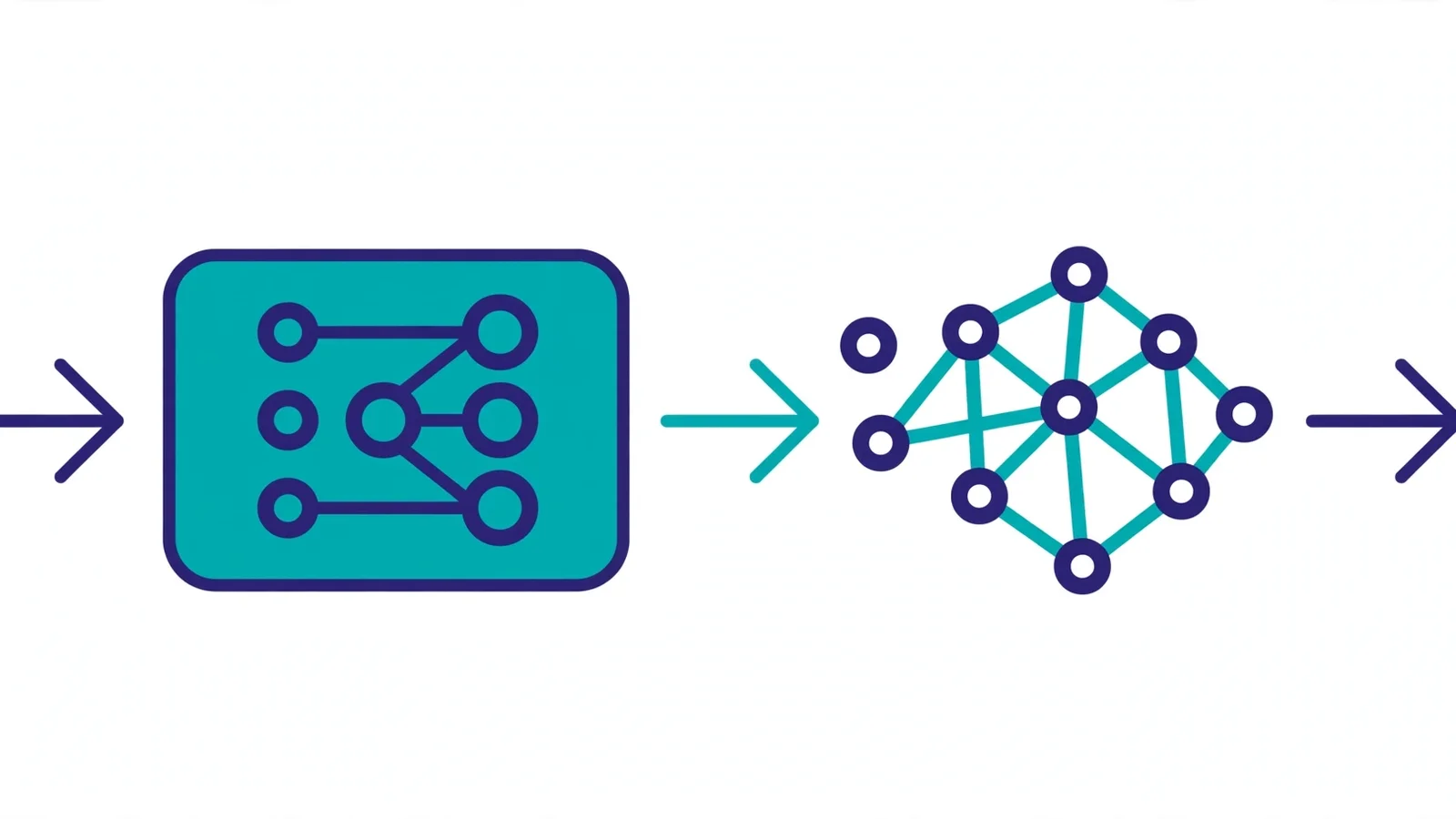
The pipeline is the same regardless of the database:
- Chunking — long documents are split into small pieces (say 300–500 tokens) so each embedding represents one focused idea.
- Embedding — each chunk goes through an embedding model and becomes a vector, e.g. 768 or 1536 decimal numbers.
- Indexing — the vectors go into an ANN index (usually HNSW) so nearest-neighbor search runs in milliseconds, not seconds.
- Querying — when a user asks something, the question is embedded with the same model, and the database finds the closest vectors, often combined with metadata filters.
- Retrieval — the best chunks come back and are typically passed to an LLM as context — the heart of the RAG pattern.
The two most common distance metrics are cosine similarity (the angle between two vectors — great for text because it ignores vector length) and Euclidean/L2 distance (straight-line distance). Most modern embedding models are normalized, so both produce the same ranking — cosine is the safe default.
One common misconception: a vector database doesn't replace your relational database. It complements it. Transactions, entity relationships, and aggregations are still more comfortable in PostgreSQL. A vector database does exactly one job — similarity search — but does it exceptionally well.
pgvector: the PostgreSQL extension that just makes sense
pgvector isn't a database. It's an open-source PostgreSQL extension that adds a vector column type, distance operators, and ANN indexes (HNSW and IVFFlat). You enable it with one line of SQL, and suddenly the database you already operate can do similarity search.
CREATE EXTENSION IF NOT EXISTS vector;

CREATE TABLE documents (
  id         bigserial PRIMARY KEY,
  content    text NOT NULL,
  category   text,
  embedding  vector(1536)   -- dimensions follow your embedding model
);

-- HNSW index for fast search
CREATE INDEX ON documents
  USING hnsw (embedding vector_cosine_ops)
  WITH (m = 16, ef_construction = 64);

-- Query: 10 most similar docs, filtered by category
SELECT id, content
FROM documents
WHERE category = 'support'
ORDER BY embedding <=> '[0.12, -0.03, ...]'::vector
LIMIT 10;
The <=> operator is cosine distance, <-> is L2 distance, and <#> is negative inner product. What makes pgvector special shows in that query: the WHERE category = 'support' clause is an ordinary relational filter using an ordinary B-tree index, running in the same query planner as the vector search. Filtering — the weak spot of many dedicated vector engines — is what Postgres has always been good at.
Strengths: no new service (backups, monitoring, and ACID transactions come free), full SQL for complex joins and filters, a mature Postgres ecosystem (replication, connection pooling, managed services like Supabase or RDS).
Weaknesses: building a large HNSW index takes a long time and lots of RAM; raw query performance trails dedicated Rust/C++ engines; no built-in hybrid search (you assemble it manually with Postgres full-text search); practical scale is generally below 10–100 million vectors depending on hardware.
Fit for: teams already on PostgreSQL, small-to-medium RAG apps, and anyone who values operational simplicity. The practitioner's rule of thumb: if you're under 10 million vectors and Postgres is already in your stack, start with pgvector.
Qdrant: the balanced engine for production
Qdrant is an open-source vector search engine written in Rust, designed from the ground up for fast, accurate similarity search. It runs self-hosted as a single Docker container, or as a managed service (Qdrant Cloud).
from qdrant_client import QdrantClient
from qdrant_client.models import Distance, VectorParams

client = QdrantClient("localhost", port=6333)

client.create_collection(
    collection_name="docs",
    vectors_config=VectorParams(size=768, distance=Distance.COSINE),
)

# Store one document with its metadata (payload)
client.upsert(
    collection_name="docs",
    points=[{
        "id": 1,
        "vector": [0.05, 0.61, 0.76, ...],
        "payload": {"category": "support", "year": 2026},
    }],
)

# Search + payload filter in a single query
hits = client.query_points(
    collection_name="docs",
    query=[0.05, 0.61, 0.76, ...],
    query_filter={"must": [{"key": "category", "match": {"value": "support"}}]},
    limit=10,
).points
Its differentiators: built-in hybrid search (dense vectors, sparse vectors/BM25 combined in one query), rich payload filtering (metadata filters with dedicated indexes), and quantization (vector compression like scalar/product quantization to slash RAM usage). The API is clean, there's a built-in web dashboard, and official clients exist for Python, JavaScript/TypeScript, Rust, and Go.
Strengths: excellent query performance for its class, hybrid search with no assembly required, mature metadata filtering, a single binary/container that's easy to operate, Apache 2.0 license.
Weaknesses: still one more service to operate; the REST API is fairly verbose for ultra-fast prototyping; horizontal scaling needs a more seriously prepared cluster mode than Milvus.
Fit for: self-hosted production apps with 10 million to hundreds of millions of vectors, RAG that needs hybrid search (semantic + keyword combined measurably improves retrieval quality), and teams that want open-source without cloud dependence.
Chroma: the fastest path to a prototype
Chroma is an open-source embedding database built around one obsession: getting developers from zero to first query in minutes. Installation is pip install chromadb, and you can run fully embedded with no server at all — perfect for notebooks, experiment scripts, and MVPs.
import chromadb

client = chromadb.Client()  # embedded mode, no server needed
collection = client.create_collection(name="docs")

collection.add(
    ids=["doc-1", "doc-2"],
    documents=["Installation guide...", "How to reset your password..."],
    metadatas=[{"category": "support"}, {"category": "support"}],
)

results = collection.query(
    query_texts=["how do I install it?"],
    n_results=5,
    where={"category": "support"},
)
Chroma also ships built-in embedding functions, so you don't even need to call an embedding model manually during prototyping — hand it text and it handles the rest. There's a server/client mode for teams, and Chroma Cloud if you don't want to manage infrastructure.
Strengths: the shortest time from zero to first query of any option here, a very Pythonic API, embedded mode with zero server dependencies, beginner-friendly docs (official Chroma documentation).
Weaknesses: not a first choice for large-scale production — horizontal scalability and advanced multi-tenancy aren't its strengths; query performance trails Qdrant/Milvus on large data; enterprise features live in the managed Chroma Cloud.
Fit for: prototypes, demos, hackathons, RAG experiments, and small apps under a few million vectors. The healthy pattern: prototype on Chroma, graduate to Qdrant or pgvector when you go to production.
Milvus: built for billion-vector scale
Milvus is an open-source distributed vector database (Apache 2.0) built for one purpose: enormous scale. Its architecture separates storage, compute, and coordination components, so it can handle billions of vectors with replication and sharding — territory the other three don't touch.
from pymilvus import MilvusClient

client = MilvusClient(uri="http://localhost:19530")
client.create_collection(
    collection_name="docs",
    dimension=768,
    metric_type="COSINE",
)

client.insert(
    collection_name="docs",
    data=[{"id": 1, "vector": [0.05, 0.61, ...], "category": "support"}],
)

results = client.search(
    collection_name="docs",
    data=[[0.05, 0.61, ...]],
    filter="category == 'support'",
    limit=10,
)
Milvus supports many index types (HNSW, IVF, GPU-accelerated), has the Attu management console, and is available managed via Zilliz Cloud. The Milvus documentation covers cluster setup thoroughly.
Strengths: the best horizontal scaling among open-source options, a rich set of index types including GPU acceleration, a mature enterprise ecosystem, serious multi-tenancy.
Weaknesses: the heaviest operational footprint — it needs etcd, MinIO/object storage, and several supporting services; total overkill under tens of millions of vectors; the steepest learning curve.
Fit for: companies with hundreds of millions to billions of vectors, strict SLA and multi-tenancy requirements, or platform teams already comfortable operating distributed systems.
Head-to-head comparison
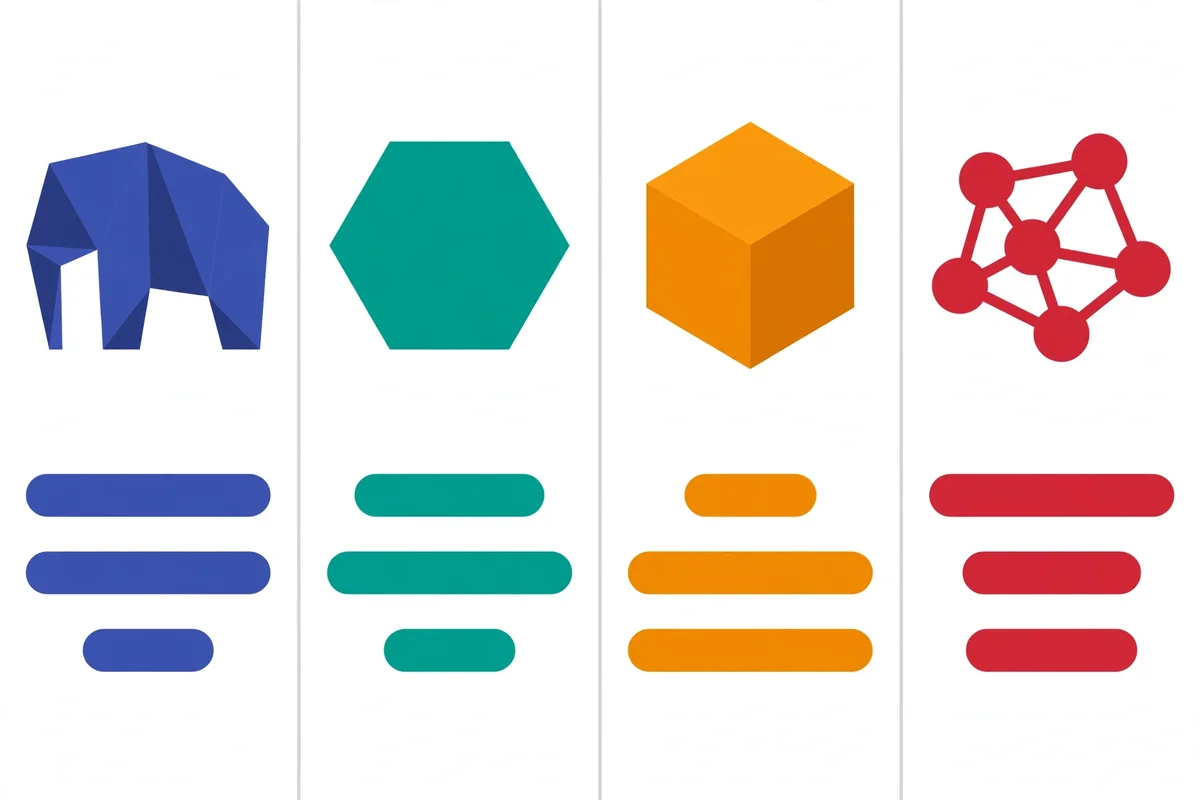
This table summarizes where each option stands, based on official documentation and community comparisons (including the open benchmark VectorDBBench). Latency figures are rough estimates for 1M 768-dim vectors — hardware and tuning change everything, so treat them as order-of-magnitude sketches, not promises.
| Aspect | pgvector | Qdrant | Chroma | Milvus |
|---|---|---|---|---|
| Type | PostgreSQL extension | Vector engine (Rust) | Embedded / server | Distributed |
| License | Open-source (PostgreSQL) | Apache 2.0 | Apache 2.0 | Apache 2.0 |
| Getting started | CREATE EXTENSION vector |
One Docker container | pip install chromadb |
Multi-component cluster |
| Hybrid search | Manual (assemble yourself) | Built-in | Limited | Partial |
| Metadata filtering | Full SQL (very strong) | Mature payload filters | Basic | Strong |
| Comfortable scale | < 10–100M vectors | 10M – 1B vectors | < 10M vectors | 100M – billions |
| Query latency (rough) | ~100 ms | ~15 ms | ~50 ms | ~20 ms |
| Operations | Rides on Postgres | One service | Zero (embedded) | Heavy cluster |
| Best for | Already on Postgres | Self-hosted production | Prototypes/MVPs | Enterprise scale |
The pattern is clear: moving right means bigger scale served — and bigger operational burden. Nothing is free.
Case studies: choosing for three real scenarios
Comparisons feel abstract without scenarios. Here are three common situations, with the sensible pick and the reasoning.
Scenario 1: docs chatbot for a SaaS startup (200K documents)
The stack already runs PostgreSQL on Supabase. Small volume, three backend engineers, nobody wants to babysit a cluster. Pick: pgvector. Enable the extension, add a vector column, build an HNSW index — done in an afternoon. Category and tenant filtering via plain WHERE. If the data hits 50 million vectors in two years and queries slow down, migrating to Qdrant is still open — the embeddings and ingest scripts already exist.
Scenario 2: e-commerce product search (40M products, needs hybrid search)
Queries like "cheap red running shoes" need both semantic meaning ("running shoes") and exact keywords ("red"). This is where built-in hybrid search shines. Pick: Qdrant. One container, quantization to keep RAM in check, payload filters for category/price/stock. A small DevOps team can still operate it.
Scenario 3: analytics platform with 2B event embeddings
This scale isn't experimentation territory — it needs sharding, replication, and serious multi-tenancy. Pick: Milvus (or Zilliz Cloud if the team doesn't want to run the cluster). Expensive operationally, but at this scale there's no honest shortcut.
Notice the pattern: the answer always starts from data scale and the team's operational capacity, not from "which one is the most advanced."
Common mistakes when choosing a vector database
Having watched many teams get this wrong, these five mistakes repeat most often:
- Choosing by raw benchmarks. The highest QPS number means nothing if your real queries always carry complex metadata filters. Test with your own workload, not someone else's.
- Ignoring filtering from day one. Nearly every production RAG filters by tenant, category, or date. Make sure your candidate handles it well — this is where pgvector and Qdrant shine.
- Forgetting to pin the embedding model. Switching embedding models means recomputing and re-indexing every vector. Pick a model, pin its version, and record the dimensions in your schema.
- No re-indexing strategy. HNSW indexes need tuning (
m,ef_construction,ef_search) and rebuilding when data shifts dramatically. Give pgvector's large index builds enoughmaintenance_work_mem. - Over-engineering on day one. Running a Milvus cluster for 500K vectors is genuine waste — server cost, DevOps time, debugging complexity. Start simple, measure, upgrade when the data proves you need to.
Best practices: pre-production checklist
- Pin embedding dimensions and model early; document them in the repo README.
- Separate collections per tenant or use indexed tenant filters — don't rely on unindexed filters at scale.
- Measure recall, not just latency. Raise
ef_search(or the equivalent) until recall@k meets your quality target, then optimize for speed. - Prepare an idempotent re-index script from the start — you'll need it sooner than you think.
- Monitor index size and RAM, especially for memory-hungry HNSW.
- Back up raw data (vectors + metadata), not just index snapshots — indexes can be rebuilt, raw data can't.
- For related topics like REST API design around your search service, treat the search endpoint like a product API: versioning, rate limits, and observability.
FAQ
Do I need a dedicated vector database, or is PostgreSQL with pgvector enough?
For most applications — internal RAG, document search, small-to-medium recommendations — pgvector is enough. You get ACID, joins, and SQL filtering in one system you already know. Move to a dedicated engine when measurements show pgvector hitting its limits: usually past tens of millions of vectors, or when you need serious hybrid search.
What is HNSW and why does every vector database use it?
HNSW (Hierarchical Navigable Small World) is a graph-based index structure that makes nearest-neighbor search run in logarithmic time. It builds layers of graphs where search starts at a sparse layer and narrows down to dense ones. Nearly every modern vector database supports it because it offers the best balance of speed, recall, and memory footprint.
Can one app use two vector databases at once?
Yes, and sometimes that's the right design. Common pattern: hot data in a fast engine like Qdrant, cold data in cheap storage — or prototype on Chroma, then run production on pgvector. The key is a thin abstraction layer in your code — don't let raw database-specific queries scatter across the codebase.
How do I migrate from Chroma to Qdrant or pgvector?
Export all vectors with their metadata and IDs, rewrite them into the target database, and rebuild the index. Since raw data is portable, migration is a re-indexing time problem, not a data-loss problem. Keep a deterministic ingest script from day one so this process is repeatable anytime.
Does a vector database replace Elasticsearch?
Not entirely. Elasticsearch (and OpenSearch) excel at keyword search, aggregations, and mature full-text relevance. Vector databases excel at semantic search. For high-quality RAG, combining both — hybrid search — often gives the best results, and some engines like Qdrant already provide it in a single query.
Conclusion
There is no absolutely best vector database — only the one that best fits your scale, your queries, and your operational capacity. pgvector wins on simplicity when PostgreSQL is already there. Qdrant is the most balanced self-hosted production package. Chroma gets you moving fastest in the experiment phase. Milvus is the honest answer for billion-vector scale.
Start with the simplest option that meets today's needs, measure with your real workload, and upgrade when the data — not the hype — tells you to. If you're building RAG on top, the complete RAG guide and the MCP guide for AI agents are good next reads.
Have you run any of these in production? Share your experience in the comments — real-world stories beat synthetic benchmarks every time.